DeMark Channels MT4
MetaTrader Indicator
The DeMark Channels MT4 indicator is a powerful Forex trading tool for MetaTrader designed to combine DeMark price action signals with dynamic trend channels and automated support and resistance levels. It helps traders identify high-probability breakouts, reversals, and trend continuation setups directly on the chart. By calculating precise Tom DeMark exhaustion points alongside structural price corridors, the software completely removes subjectivity from technical chart mapping. This mathematical framework allows traders to stay on the correct side of institutional order flow, tracking accelerating momentum via automated breakouts while pinpointing precise invalidation zones during sudden market reversals.
Alternative download link Added to cart — redirecting to checkout in 3 seconds...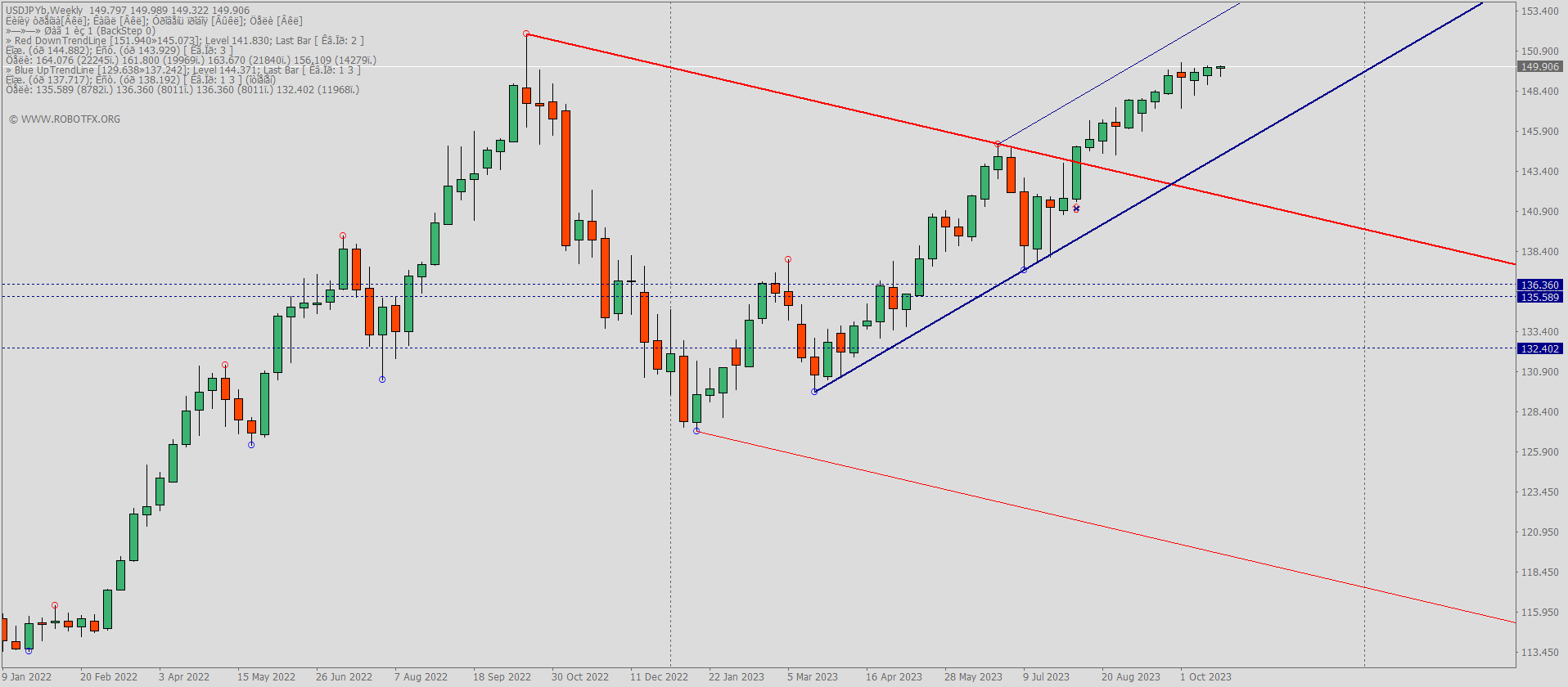
Key Features of the DeMark Channels Indicator for MT4
The DeMark + Channels MT4 indicator enhances Forex technical analysis by combining DeMark swing point detection with automated trend lines, breakout zones, and channel structures. It is widely used by traders to analyze market structure, volatility, and trend strength across any timeframe.
This indicator is especially useful for MetaTrader 4 traders who rely on price action trading, breakout strategies, and trend-following systems. It defines up to three profit targets, with the final target projected at 1.62 Fibonacci extension of the inner range. When price closes back inside the channel, signals can be automatically invalidated to reduce false breakouts.
Overall, it works as both a Forex indicator for trend analysis and a decision-support tool for traders using manual or automated Expert Advisors (EAs).
DeMark Channels Indicator MT4 Trade Examples
Configuring DeMark Channels Indicator MT4 Settings
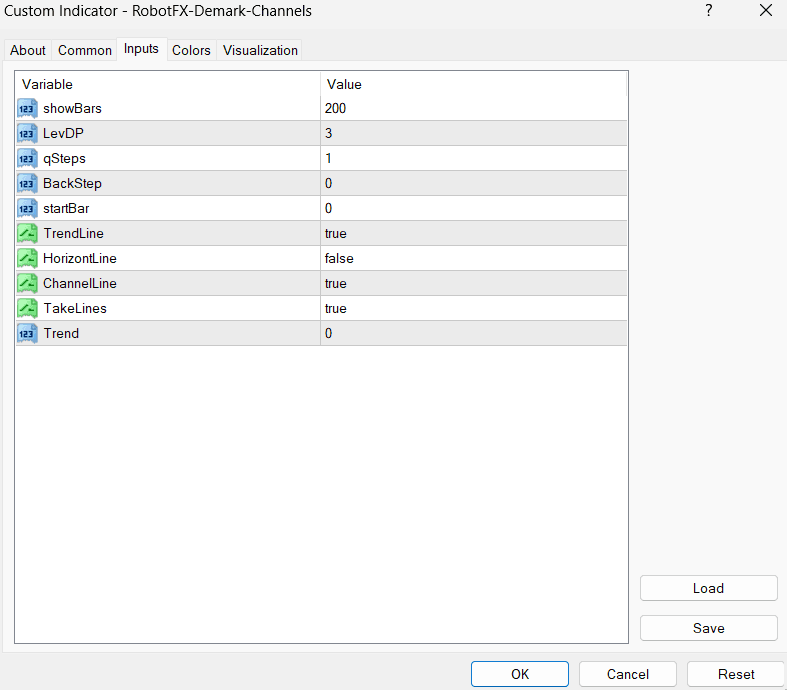
- showBars – displays DeMark points across full chart history when set to 0
- LevDP – controls swing sensitivity (e.g. 2 bars left/right confirmation)
- qSteps – number of projection steps (max 3) for forecast levels
- BackStep – defines backward calculation depth for DeMark points
- startBar – 0 = current signals, 1 = forward projection mode
- TrendLine – enables trend line detection for Forex structure analysis
- HorizontLine – shows breakout support and resistance levels
- ChannelLine – builds dynamic price channels for MT4 chart analysis
- TakeLines – displays take-profit target levels for trading setups
- Trend – 1 = buy trend only, -1 = sell trend only, 0 = both directions
RobotFX Suggested Video
The video will explain how the RobotFX Auto Recovery works and the strategy behind the loss recovery. Feel free to watch the rest of the videos too.