3 Lines Support & Resistance MT4
MetaTrader Indicator
The 3 Lines Support / Resistance indicator MT4 is a powerful MetaTrader 4 forex trading tool designed to automatically identify key support and resistance levels as well as potential future price zones. It helps traders analyze market structure, reversals, and breakout points in real time. This forex support and resistance indicator dynamically updates levels as price evolves. When price breaks and closes beyond a level, the invalidated line is removed and the next projected level becomes active, making it highly useful for day trading, scalping, and swing trading strategies.
Alternative download link Added to cart — redirecting to checkout in 3 seconds...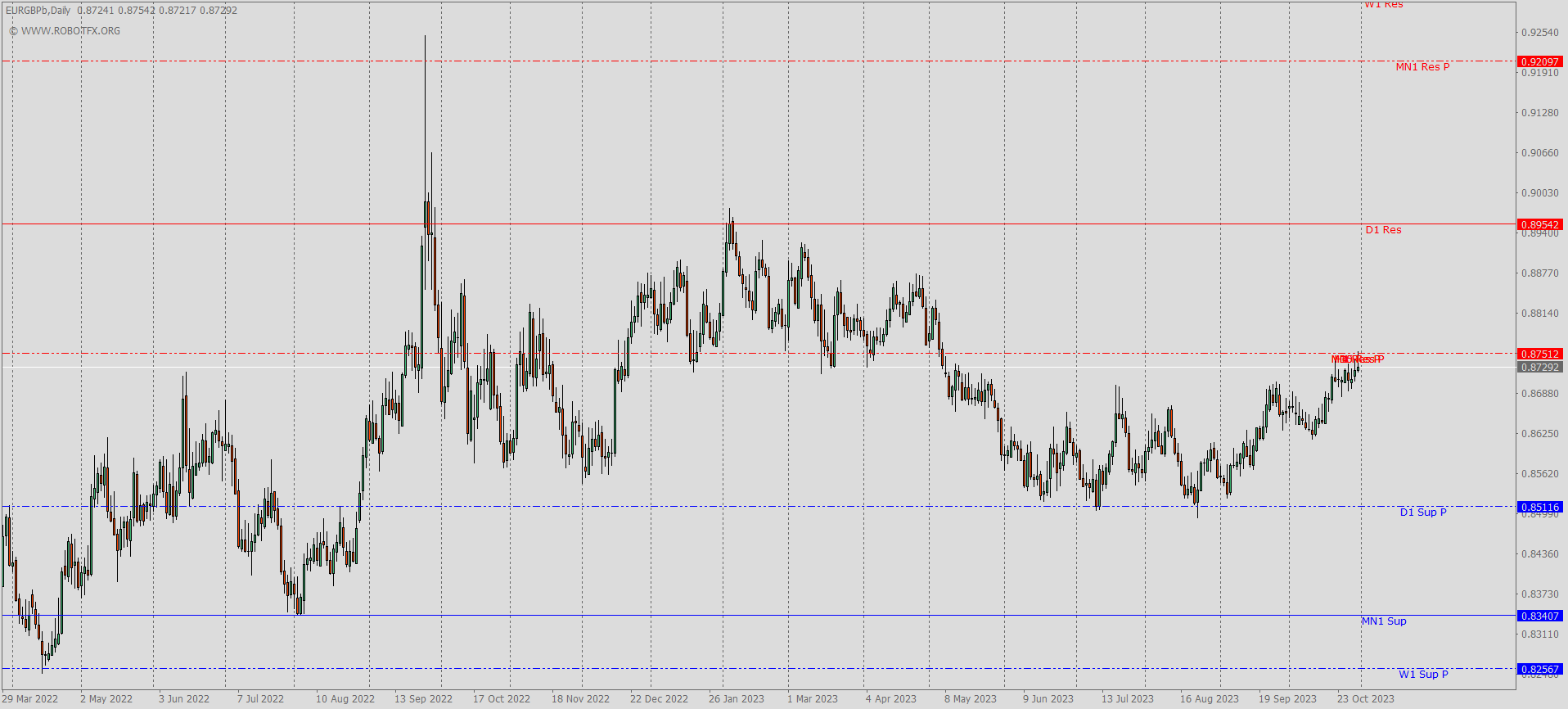
Key Features of the 3 Lines Support & Resistance Indicator for MT4
This MT4 indicator automatically plots historical and projected support and resistance levels across selected timeframes. It continuously adapts to market conditions, allowing traders to track institutional price zones and key liquidity areas.
When price reaches and closes beyond a level, the indicator invalidates that line and promotes the next potential support or resistance zone. This creates a continuously evolving structure of dynamic forex levels.
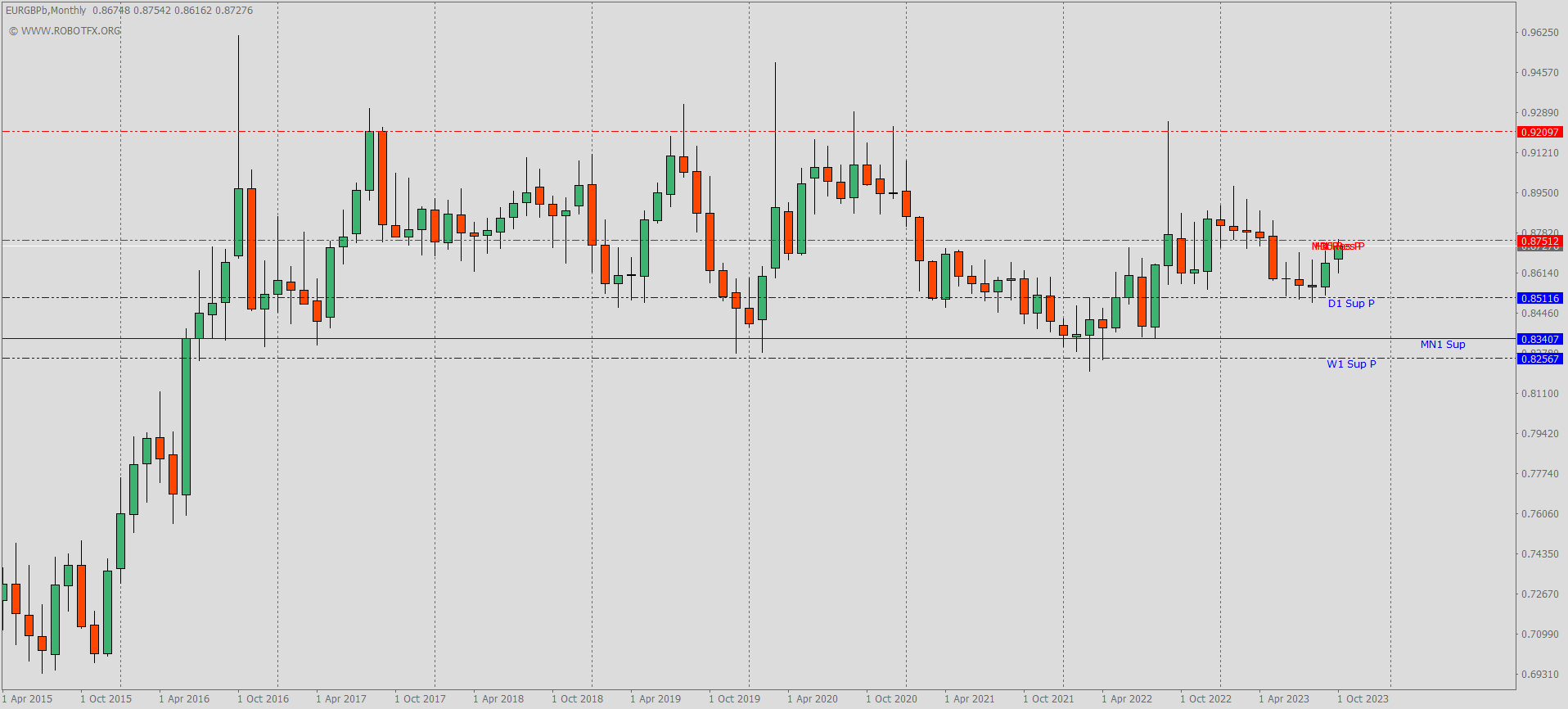
3 Lines Support & Resistance Indicator Trade Examples
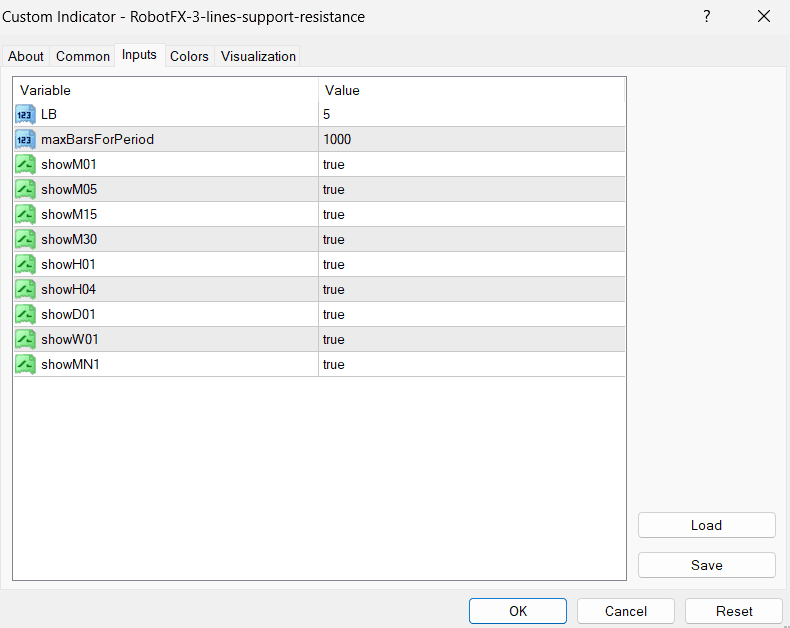
Configuring 3 Lines Support & Resistance Indicator Settings
Blue lines represent support levels, red lines represent resistance, and dotted lines show projected future support/resistance zones. These levels are automatically adjusted based on market penetration strength and timeframe behavior.
How to Use 3 Lines Support / Resistance Indicator MT4
- Install the indicator on your MetaTrader 4 platform
- Attach it to your preferred chart and timeframe
- Observe blue lines as support zones and red lines as resistance zones
- Use dotted lines as potential future price levels
- Trade reversals when price reacts at strong support and resistance levels
- Trade breakouts when price closes beyond key zones
RobotFX Suggested Video
The video will explain how the RobotFX Auto Recovery works and the strategy behind the loss recovery. Feel free to watch the rest of the videos too.