Trend Trader MT4
MetaTrader Indicator
The MetaTrader 4 Trend Trader indicator is a powerful multi-confirmation forex trend trading tool that combines MACD, Parabolic SAR (PSAR), Stochastic oscillator, and a moving average system to identify high-probability trend setups and entry signals across multiple timeframes. By merging these classic mathematical indicators into a single workspace, the software eliminates the clutter of multiple sub-windows. It acts as an automated filter that requires all embedded systems to align before confirming a market direction, ensuring traders avoid false breakouts and enter established trends during periods of optimal momentum.
Alternative download link Added to cart — redirecting to checkout in 3 seconds...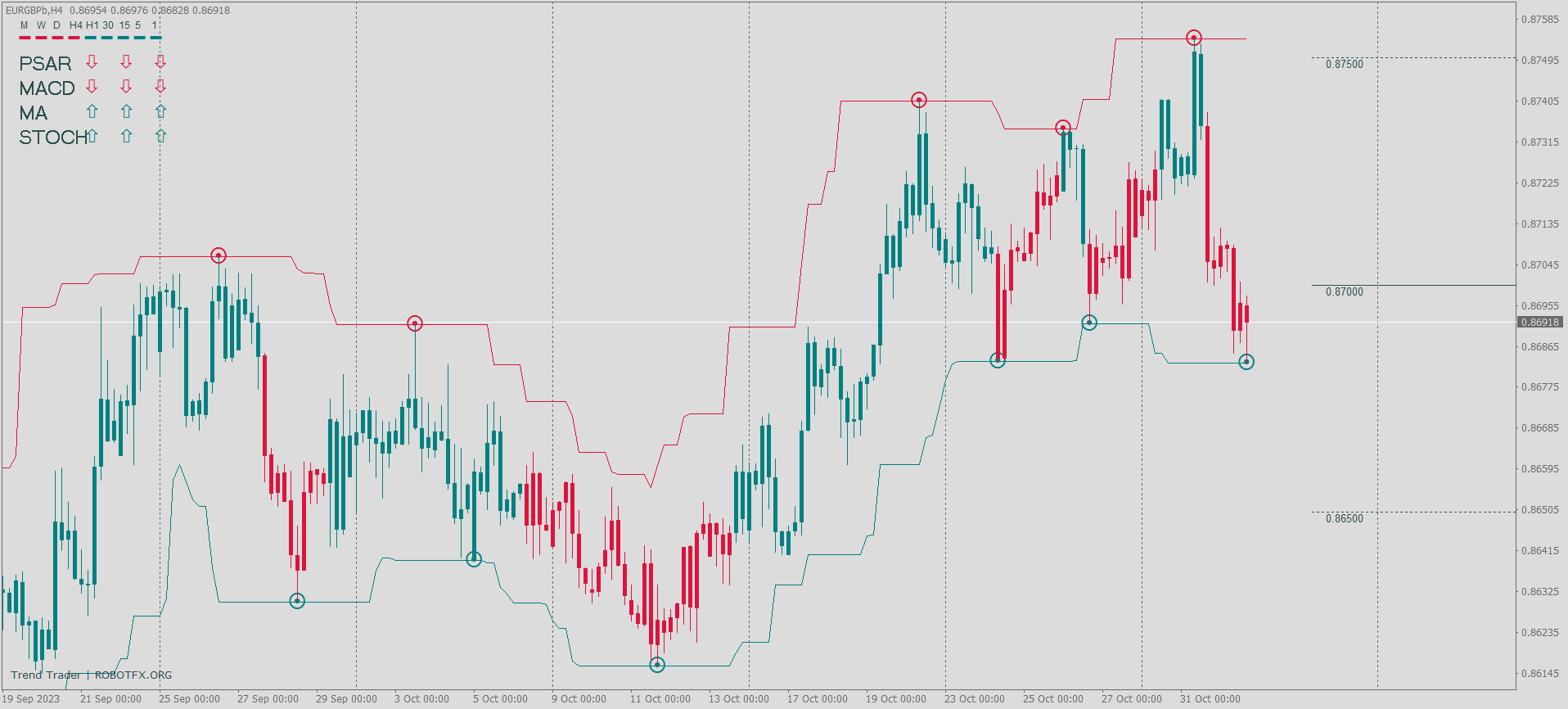
Key Features of the Trend Trader Indicator for MT4
Trend indicator functions:
– draw the price channel
– spot the swings
– draw the candle type
– identify the trend according to PSAR, MACD, Stochastic and the moving average indicator.
– display the round numbers on the chart
Trend Trader Indicator Trade Examples
As seen in the chart above, the indicator identifies a clear trend direction, draws a dynamic price channel, and plots potential buy and sell entry signals based on a combination of technical indicators. It also displays a real-time multi-timeframe candle strength panel, where green candles indicate bullish momentum and red candles indicate bearish pressure. Depending on settings, signals can be generated from PSAR, MACD, Stochastic oscillator, and moving average trend alignment.
Configuring Trend Trader Indicator Settings
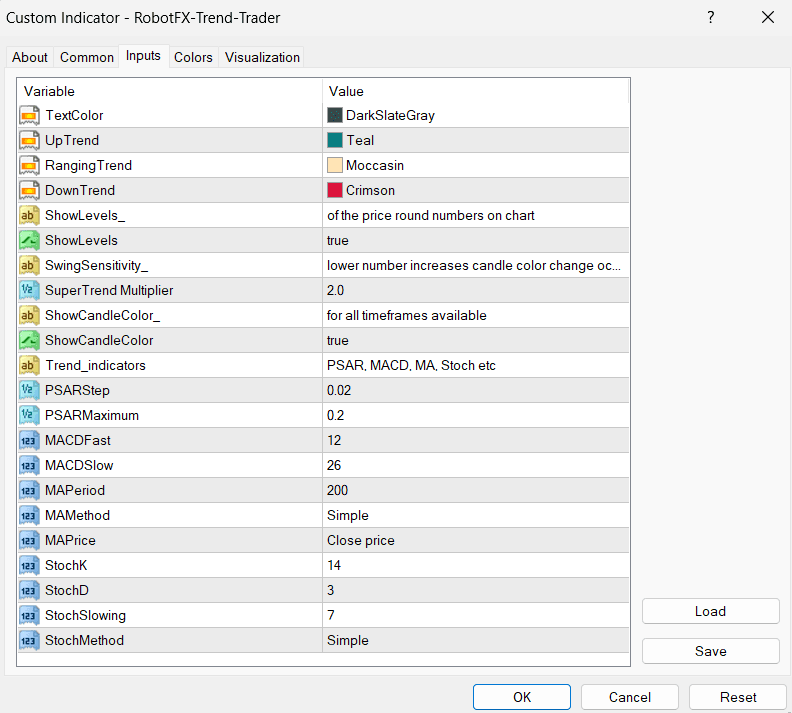
The Trend Trader indicator settings allow traders to fine-tune signal sensitivity, enable or disable individual components (MACD, PSAR, Stochastic, moving average filter), and customize chart overlays such as price channels, swing detection, and round number levels. These options make it suitable for both scalping and swing trading strategies in MetaTrader 4.
How to Use Trend Trader Indicator in MT4
The Trend Trader indicator is designed to help forex traders follow market direction using a combination of trend filters and momentum signals. It works best on trending markets and higher timeframes such as M15, H1, and H4.
To use it effectively, traders should align signals from multiple components (PSAR direction, MACD trend, and Stochastic confirmation) before entering a trade. This reduces false signals and improves trend continuation accuracy.
It can be used for forex trading, indices, and CFDs, making it a flexible tool for MetaTrader 4 users who rely on technical analysis and automated signal confirmation.
FAQ – Trend Trader Indicator MT4
What is the Trend Trader indicator in MT4?
It is a multi-indicator forex trading tool that combines
MACD,
PSAR, Stochastic, and moving averages to identify trend direction and generate
trading signals.
Is the Trend Trader indicator good for beginners?
Yes, it simplifies trading decisions by combining multiple indicators into one
system, making it easier for beginners to follow trends.
Which timeframe works best for Trend Trader?
It performs best on M15, H1, and H4 timeframes where trends are more stable and
less noisy.
Can Trend Trader be used for scalping?
Yes, but it is more reliable for intraday and swing trading due to its
multi-confirmation structure.
Does Trend Trader repaint signals?
Depending on settings, signals are based on confirmed indicator conditions, but
traders should always test in demo accounts first.
RobotFX Suggested Video
The video will explain how the RobotFX Auto Recovery works and the strategy behind the loss recovery. Feel free to watch the rest of the videos too.