Patterns Indicator MT4
MetaTrader 4
This Patterns Indicator for MetaTrader 4 is a powerful MT4 tool that automatically searches for various chart patterns and draws their future projections on the chart. This helps traders anticipate potential price movements and make more informed trading decisions. By processing complex mathematical geometry across multiple timeframes simultaneously, the software removes manual drawing guesswork from your daily routine. It instantly highlights developing harmonic structures, double tops, and triangles, allowing you to easily spot institutional accumulation zones, prepare for upcoming breakout volatility, and place precise target levels based on objective algorithmic logic.
Alternative download link Added to cart — redirecting to checkout in 3 seconds...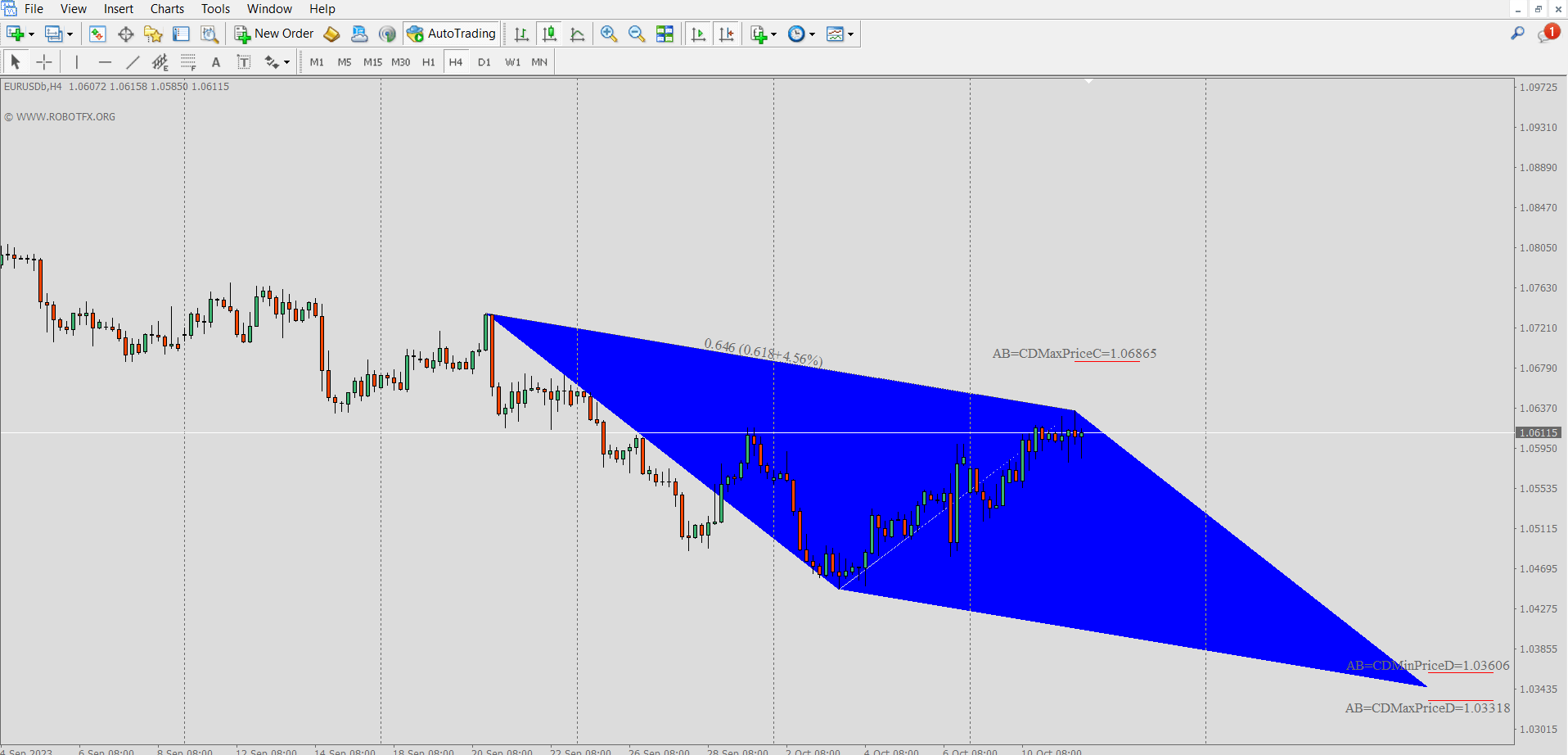
Patterns Indicator MT4 Examples
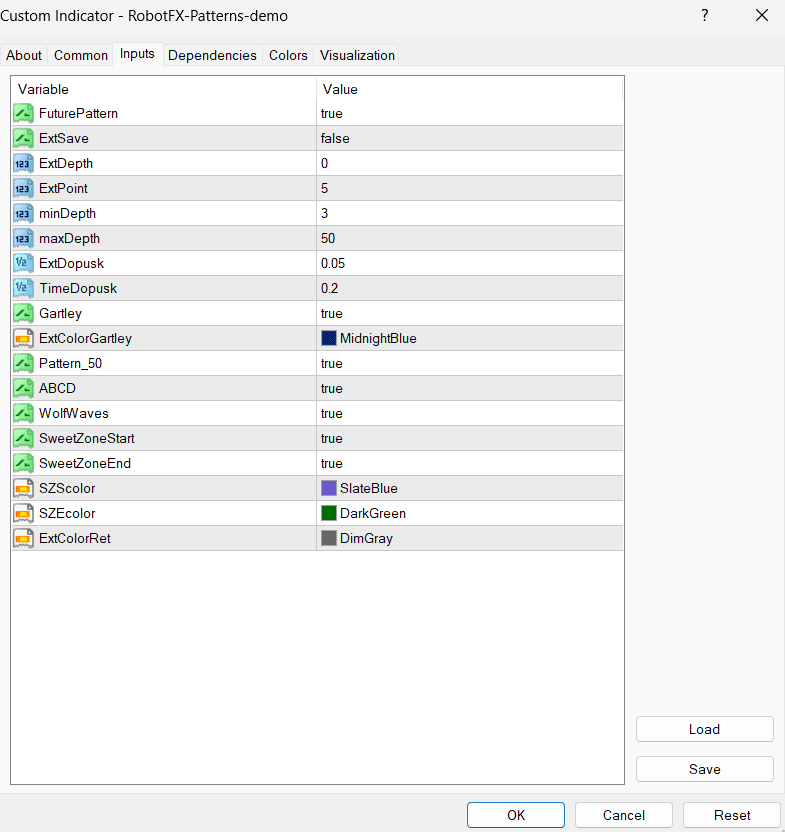
Configuring Patterns Indicator MT4 Settings
- FuturePattern – Project Possible Patterns
- ExtSave – Keep Patterns on Chart
- ExtDepth – ZigZag Depth
- ExtPoint – ZigZag Points
- minDepth – Minimum Depth
- maxDepth – Maximum Depth
- ExtDopusk – Patterns Difference Shape Buffer
- TimeDopusk – Patterns Different Time Buffer
- Gartley – Enable Gartley Pattern
- ExtColorGartley – Gartley Pattern Color
- Pattern_50 – Enable 5-0 Pattern
- ABCD – Enable ABCD Pattern
- WolfWaves – Enable Wolf Waves Pattern
- SweetZoneStart – Show WolfWaves SweetZone Start
- SweetZoneEnd – Show WolfWaves SweetZone End
- SZScolor – SweetZone Start Color
- SZEcolor – SweetZone End Color
- ExtColorRet – Retracement Line Color
How to Use Patterns Indicator MT4
- Install the Patterns Indicator on your MetaTrader 4 platform.
- Attach it to any chart and timeframe you prefer.
- Enable the patterns you want to detect (Gartley, ABCD, Wolf Waves, etc.).
- Adjust ZigZag depth and other parameters to match market conditions.
- Use the projected future patterns as potential support/resistance zones and trade setups.
Frequently Asked Questions
Q: Is the Patterns Indicator only for MT4?
Yes, this version is developed specifically for MetaTrader 4.
Q: What types of patterns does it detect?
It detects popular harmonic and geometric patterns such as Gartley, ABCD, 5-0,
and Wolf Waves, and projects their possible future development.
Q: Can I choose which patterns to display?
Yes. You can enable or disable individual patterns and adjust projection
settings.
Q: Does it work on all timeframes?
Yes. It works on all timeframes, although it performs best on H1, H4, and Daily
charts for clearer pattern recognition.
RobotFX Suggested Video
The video will explain how the RobotFX Auto Recovery works and the strategy behind the loss recovery. Feel free to watch the rest of the videos too.