MultiTrader EA MT4
MetaTrader Expert Advisor
The MultiTrader Expert Advisor for MT4 is an advanced multi-symbol trading system that displays a powerful intelligent interface. It allows traders to monitor multiple currency pairs simultaneously, analyze market conditions, and make informed trading decisions directly from a single chart.
Alternative download link Added to cart — redirecting to checkout in 3 seconds...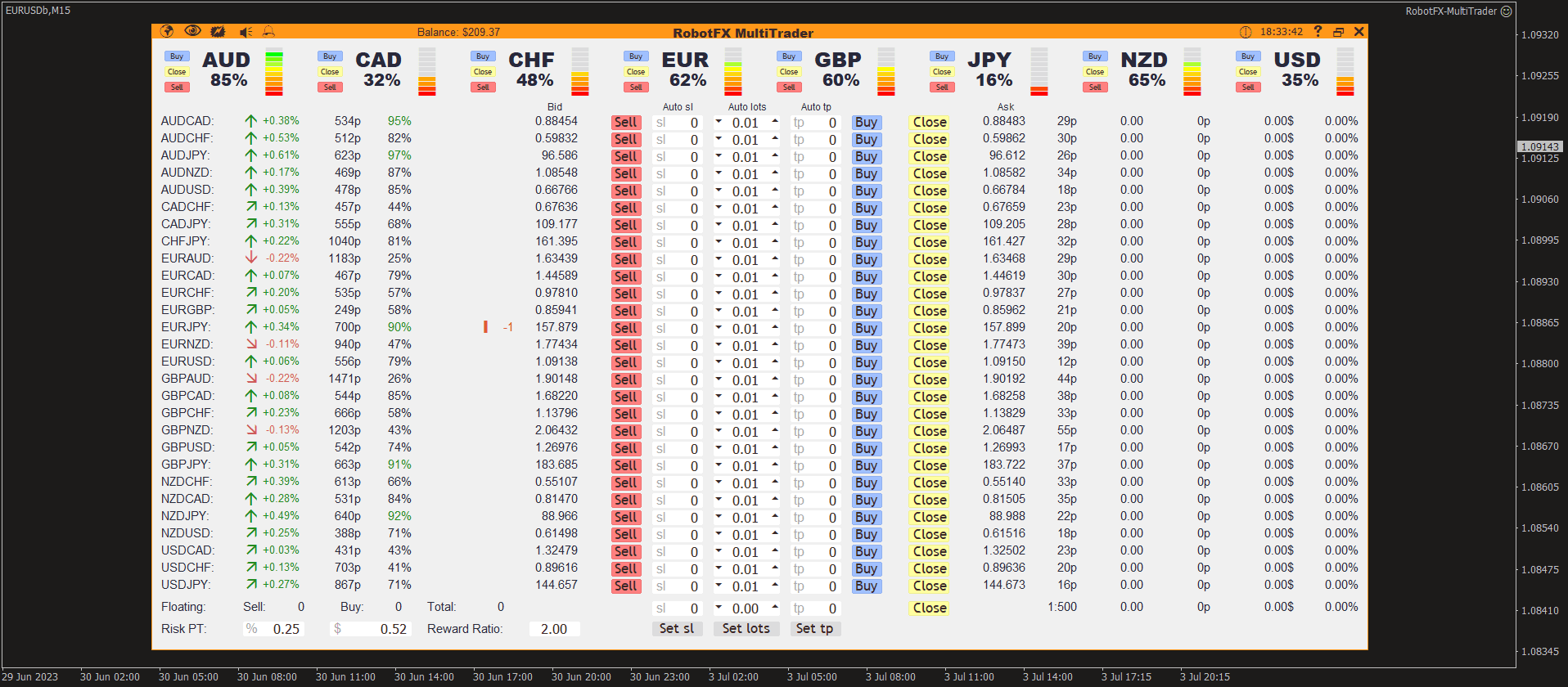
Key Features of the MultiTrader EA for MT4
RobotFX MultiTrader Expert Advisor is designed to simplify portfolio trading by centralizing multiple instruments into one control panel. It helps traders analyze price action across different pairs while maintaining full control over execution, risk, and trade management.
The system provides a structured interface that supports faster decision-making and improved market overview without switching between charts.
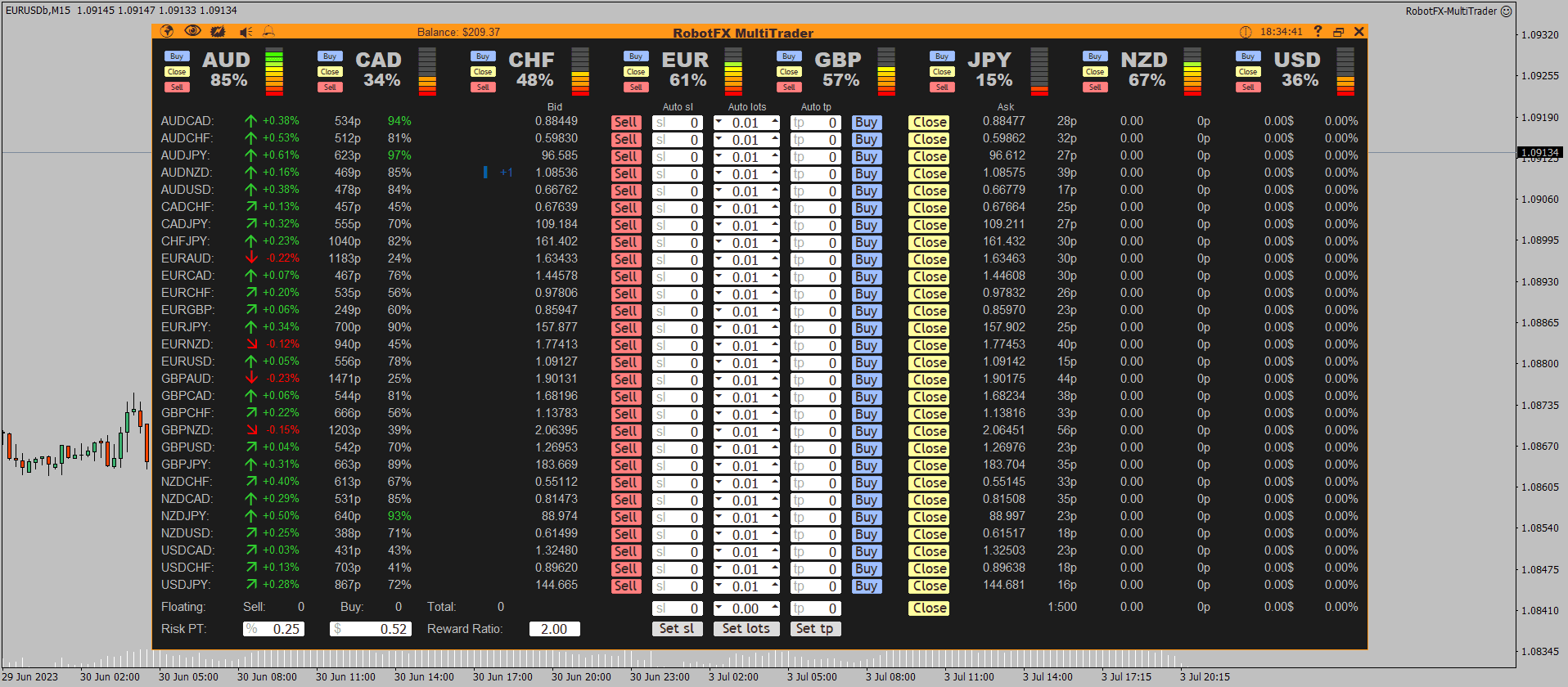
MultiTrader EA Chart Example
Configuring MultiTrader Settings
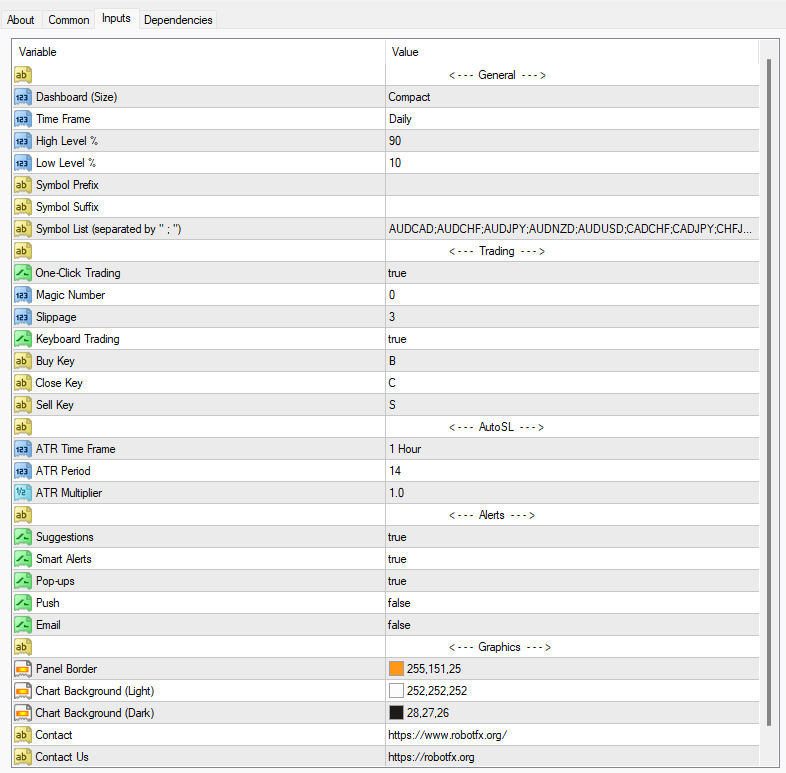
Using the interface, traders can open trades, close positions, and manage take profit and stop loss levels across multiple instruments. The system can also be customized in terms of layout, color theme, and displayed symbols.
How to Install MultiTrader EA on MT4
- Download the EA file
- Open MetaTrader 4
- Go to File → Open Data Folder
- Paste into MQL4 → Experts folder
- Restart MT4
- Attach EA to a chart and enable AutoTrading
How to Use MultiTrader EA
- Select symbols to monitor in the interface
- Adjust layout and visual preferences
- Follow trade suggestions or execute manually
- Manage risk using built-in trade controls and tools such as the Trailing Stop Expert Advisor MT4 & MT5
FAQ – MultiTrader EA MT4
Does MultiTrader EA trade automatically?
It provides assisted trading with execution controls from the interface.
Can I use it for multiple pairs?
Yes, it is designed specifically for multi-pair monitoring.
Is it beginner friendly?
Yes, but it is recommended to test on a demo account first.
Does it guarantee profits?
No EA guarantees profits; performance depends on market conditions and settings.