Trailing Stop EA MT4 & MT5
MetaTrader Expert Advisor
The Trailing Stop EA for MT4 and MT5 is a powerful MetaTrader expert advisor that automatically manages your winning trades. It offers multiple advanced trailing methods including ATR, PSAR, Fractals, Moving Averages, Chandelier (candlestick), percentage of profit, and classic pips trailing — giving traders maximum flexibility and control over profit protection. Once a position moves into positive territory, the software dynamically adjusts the stop-loss order behind the current market price according to user-defined rules. This automation eliminates emotional decision-making, ensures discipline, and removes the need for constant manual market monitoring.
Alternative download link Added to cart — redirecting to checkout in 3 seconds...
Key Features of the Trailing Stop EA for MT4 & MT5
- Trail single trades or entire baskets using ATR, PSAR, Fractals, Moving Averages, Chandelier, Percentage of Profit, or fixed pips
- Start trailing immediately or only after reaching breakeven
- Support for both MT4 and MT5 with platform-specific advanced trailing options
The RobotFX Trailing Stop Expert Advisor is an essential tool for serious Forex traders. Even the best trading strategies can fail due to poor trade management. This EA solves that problem by automatically trailing your stop loss as the trade moves in your favor, helping you lock in profits while letting winners run. It can also complement systems such as the Heiken Ashi Expert Advisor MT4 & MT5 and Auto Recovery Expert Advisor MT4 & MT5.
Whether you prefer indicator-based trailing (PSAR, ATR, MA, Fractals) or price-action methods (Chandelier, fixed pips), this versatile Trailing Stop EA for MT4 and MT5 gives you professional-grade trade management. Traders looking for additional automation may also benefit from the Fluid Expert Advisor MT4 & MT5.
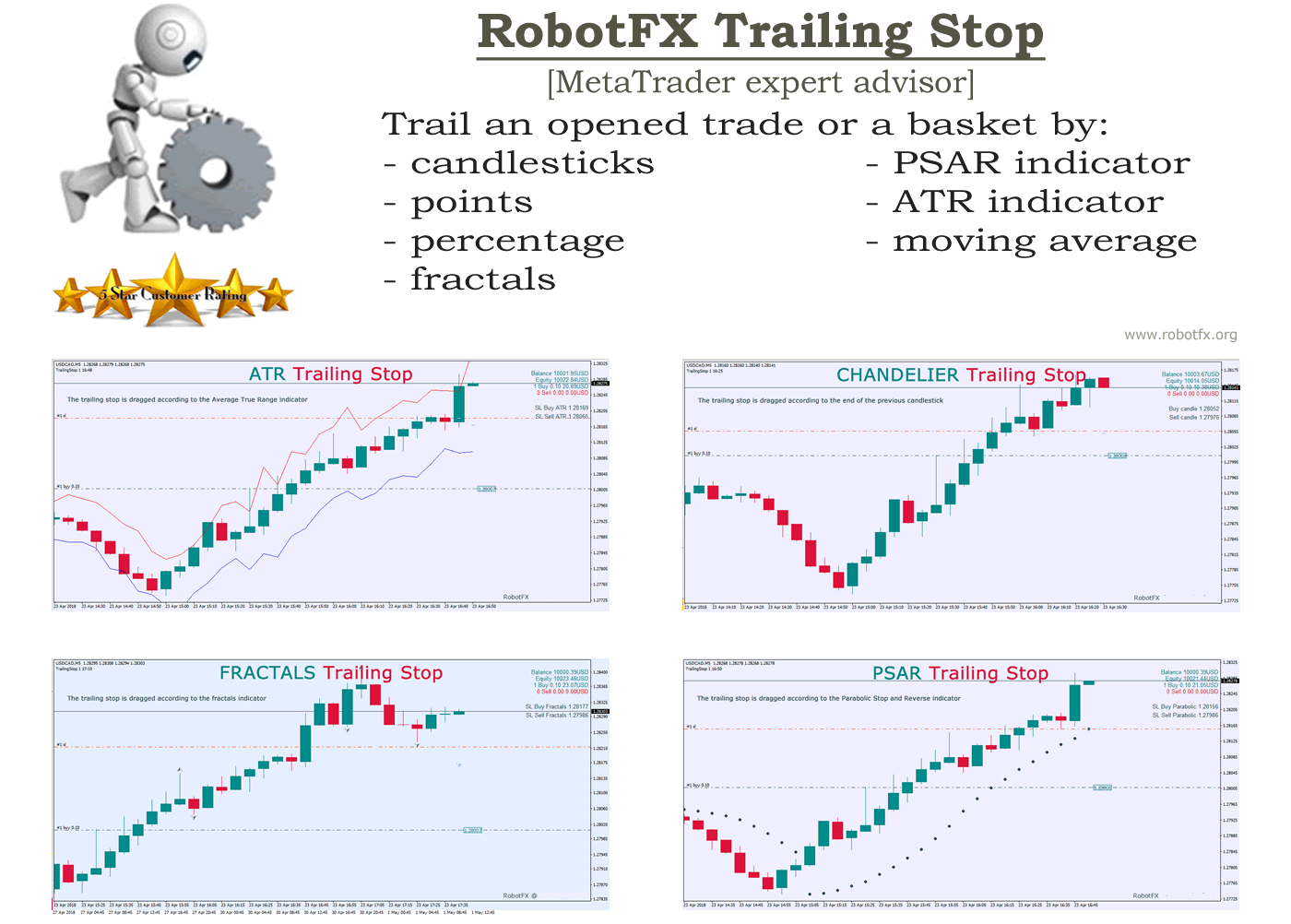
Many traders close winning positions too early out of fear or too late out of greed. The Trailing Stop EA removes emotion from the equation and consistently protects your profits using professional trailing techniques.
Trailing Stop EA Trail Methods
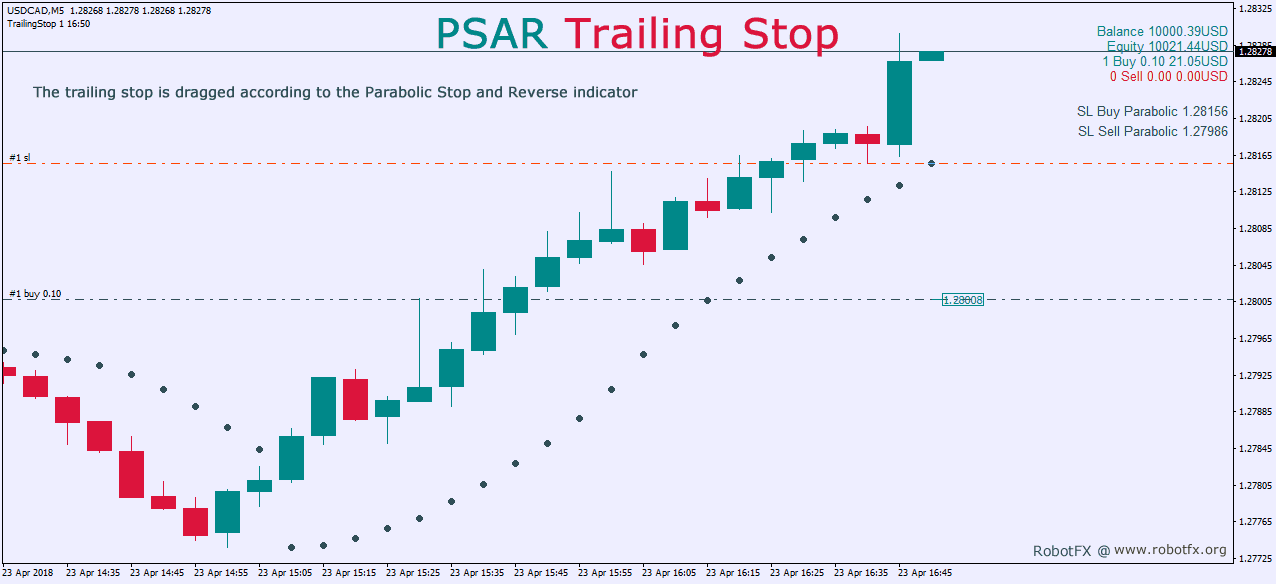
Configuring Trailing Stop EA Settings
It is important to specify that the trader has the ability to change (within the trailing stop expert advisor settings) the indicators values as well as the timeframe they are applied to. This provides additional flexibility when using tools such as the Heiken Ashi No Repaint Indicator MT5, Moving Average Candles Indicator MT4, or the Trend Dashboard Indicator MT5 as part of a broader trade management approach. Also, the expert advisor can trail multiple trades (basket) of the same kind.
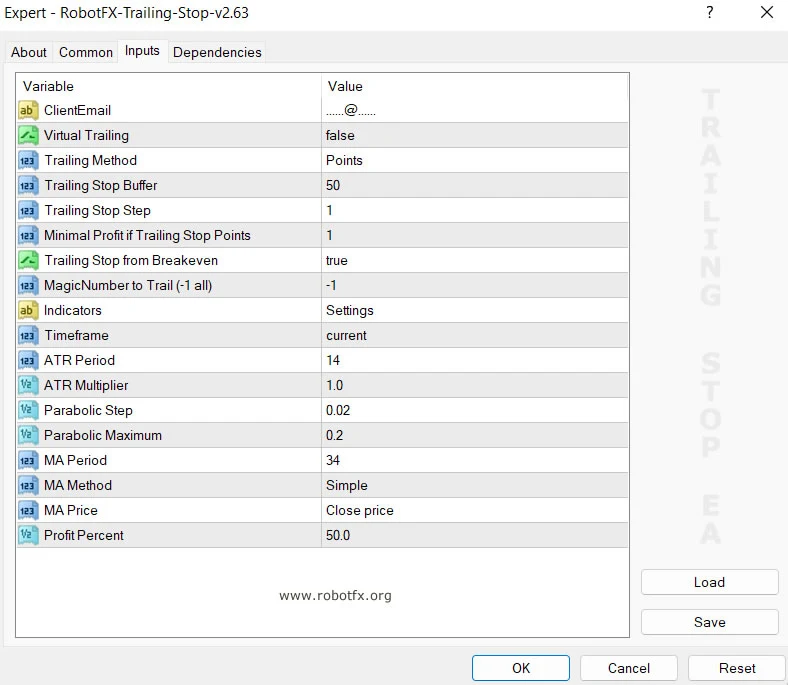
- Enter your Client Email - fill this with your email IF you are using a paid version of this EA on a LIVE account
- Virtual Trailing - enable/disable virtual trailing
- Trailing Method - choose the preferred trailing method:
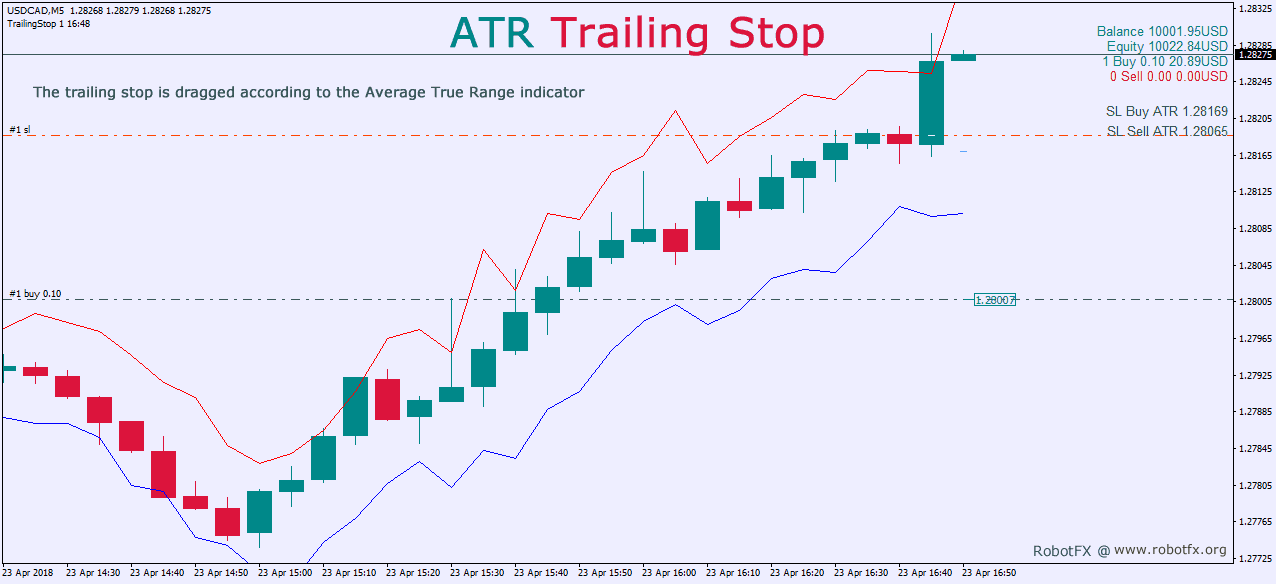
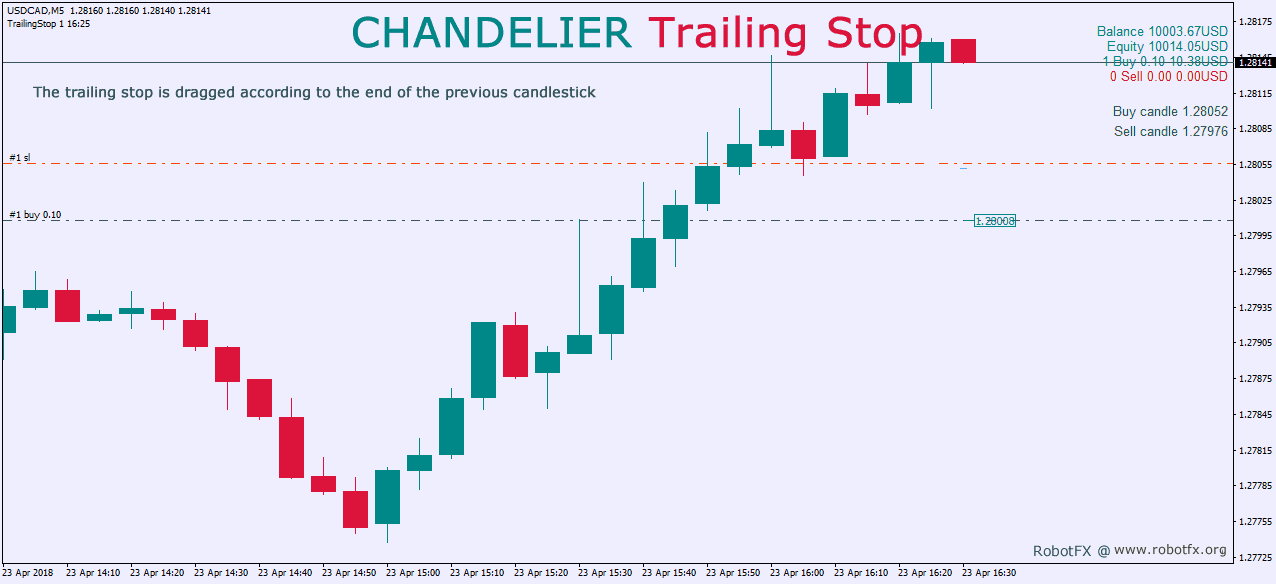
- Candlestick (chandelier trailing stop ea) - trails the price using the last candle, placing the stoploss at the end of this candle
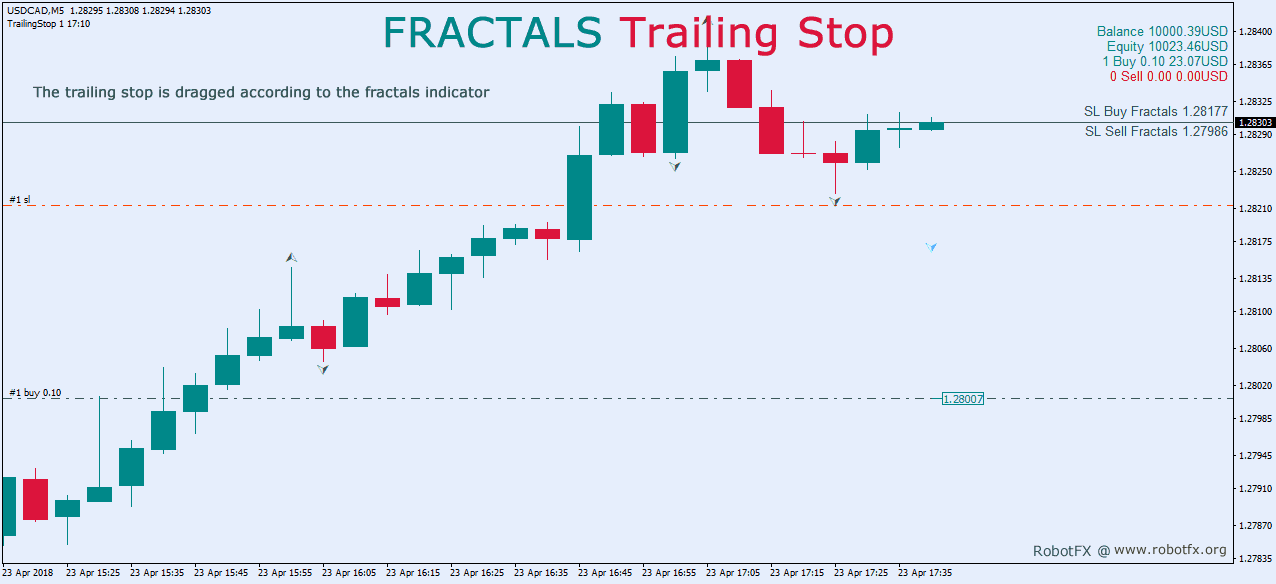
- Fractals (fractals trailing stop ea) - trails the price using the fractals indicator, placing the stoploss at the fractal indicator level
- ATR (ATR trailing stop) - trails the price using the ATR indicator, placing the stoploss at the ATR indicator level
- Parabolic (PSAR trailing stop ea) - trails the price using the PSAR indicator, placing the stoploss at the PSAR indicator level
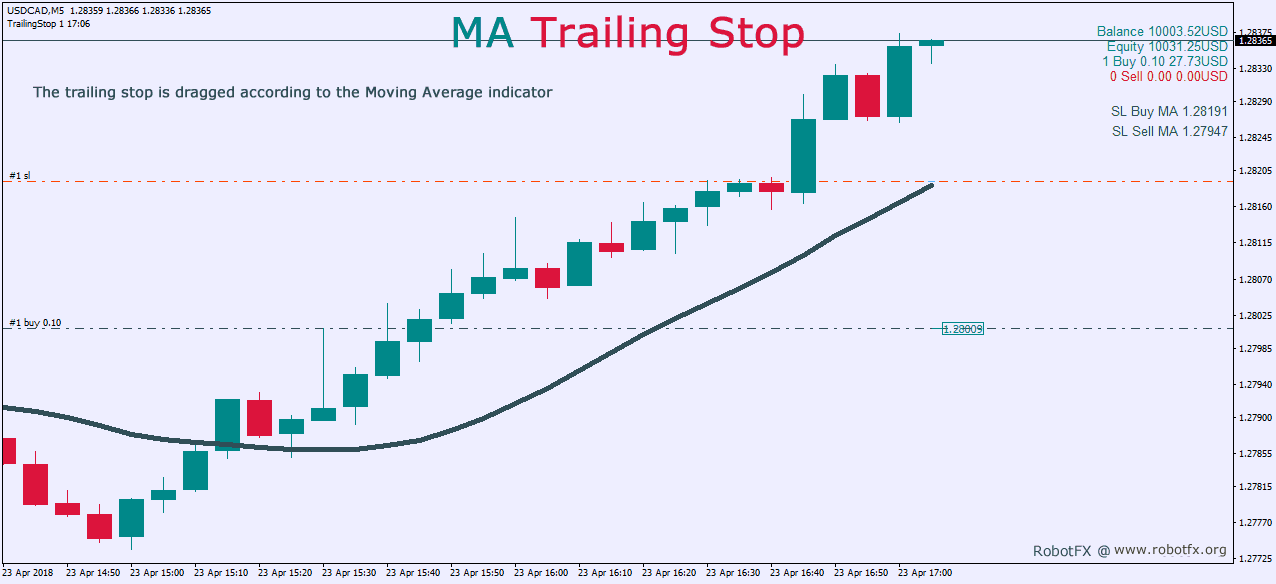
- MA (MA trailing stop ea) trails the price using the moving average indicator, placing the stoploss at the MA indicator level
- Profit % - trails the price using the profit’s percentage (example: if profit is 500 pips and Profit % = 50, the stoploss will be placed at 50%*500, meaning 250 pips)
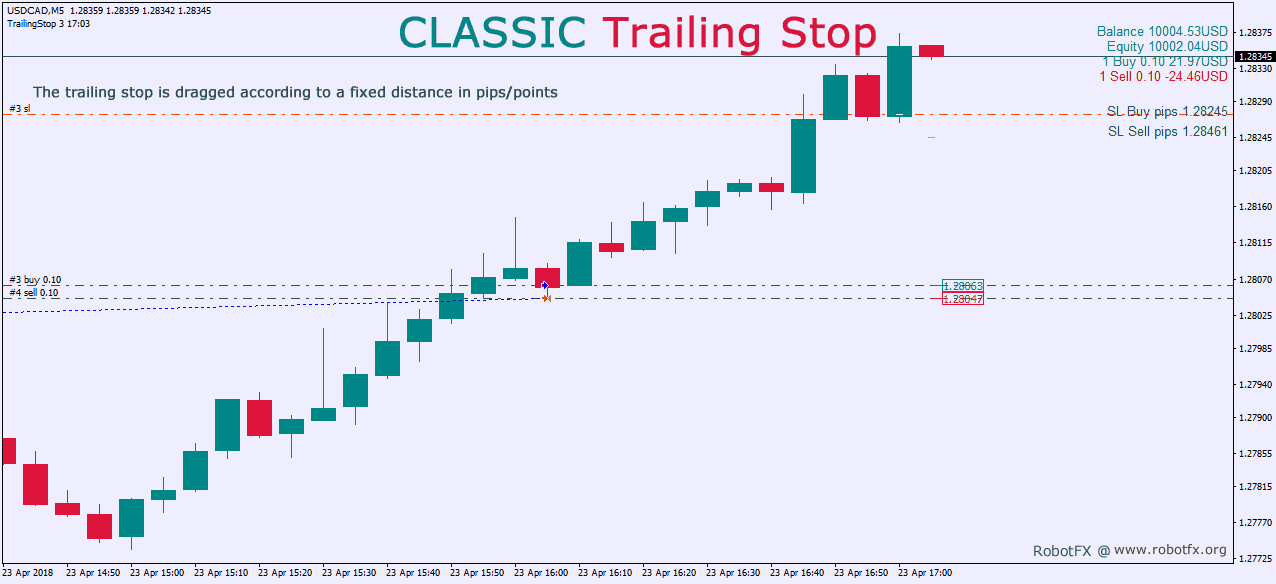
- Points (classic pips trailing stop) - trails the price using the points; use with Minimal Profit if Trailing Stop Points below (example: when profit reaches Minimal Profit if Trailing Stop Points, trailing will start and the stoploss will be placed)
- Trailing Stop Buffer - the stoploss will be placed at this distance from the signal (MA, PSAR, fractals etc.)
- Trailing Stop Step - the stoploss will be moved when the price will move this distance from the previous stoploss
- Minimal Profit if Trailing Stop Points - trailing will start after this amount is passed
- Trailing Stop from Breakeven - the stoploss will be placed and trailing will start only after price reached the breakeven level
- MagicNumber to Trail (-1 all) - if you want to trail trades opened by other EAs, enter their MagicNumber here
- Indicator Settings - set the values for the indicators used to trail the price, if any of them is chosen as Trailing Method
- Timeframe - the indicators’ timeframe
- ATR Period - Average True Range period settings
- Parabolic Step - PSAR indicator step settings
- Parabolic Maximum - PSAR indicator maximum settings
- MA Period - Moving Average period settings
- MA Method - Moving Average method settings
- MA Price - Moving Average price settings
- Profit Percent - profit percent settings
Differences between MT5 EA version compared to MT4 EA
- besides all the MT4 trailing options, also allows trailing by:
- the previous highs / lows (aka Swing Zone), similar to concepts used by the Support Resistance Indicator MT5
- Heiken Ashi candles (RobotFX Heiken Ashi indicator included)
- Bollinger Bands line
- had the virtual trailing option removed as being irrelevant
RobotFX Trailing Stop profit lock Video Tutorial
In this video, you will learn what a trailing stop is, why it is essential for profitable trading, and how to use the advanced Trailing Stop Expert Advisor for MT4 and MT5. It covers all trailing methods (pips, ATR, PSAR, Fractals, Moving Average, Chandelier, percentage), optimal settings, virtual trailing, and how to manage trades opened by other EAs. You will have to watch the rest of the videos too if you want to master this trading tool.