Swing EA for MT4
MetaTrader Expert Advisor
The Swing EA (Expert Advisor) for MetaTrader 4 automated software package uses the underlying logic of the Bollinger Bands trading strategy to continuously track market volatility and identify high-probability swing trading setups. By mapping standard deviation channels around a central moving average, the robot builds a dynamic support and resistance framework directly onto the chart. This enables the automated logic to accurately detect when an asset price has overextended itself relative to its recent trading mean, positioning the software to capture sharp market corrections as the price snaps back toward its structural balance point.
Alternative download link Added to cart — redirecting to checkout in 3 seconds...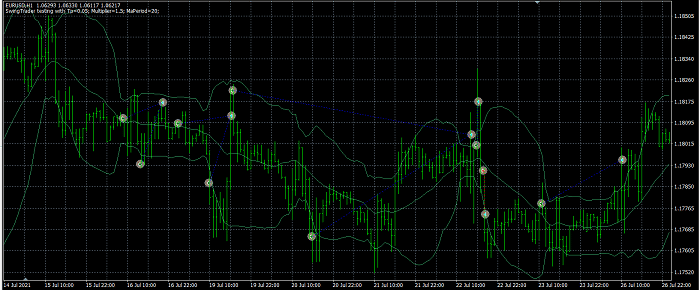
Key Features of the Swing EA for MT4
The EA uses Bollinger Bands to identify overbought and oversold conditions, allowing it to trade market swings with trend-following and mean-reversion logic.
Swing EA Trade Examples
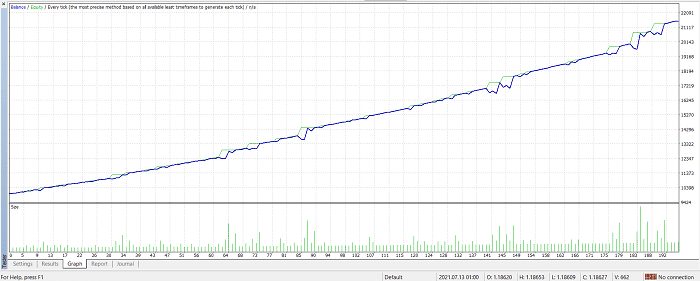
The EA uses Bollinger Bands to identify overbought and oversold conditions, allowing it to trade market swings with trend-following and mean-reversion logic.
Backtests show how the EA reacts to different market phases, including ranging and trending environments.
For traders interested in similar volatility-based systems, you can explore other MetaTrader 4 Expert Advisors or browse MetaTrader 4 Indicators to combine swing strategies with additional confirmation tools.
Configuring Swing EA Settings
- Take Profit: closes trades when account profit reaches a defined multiplier (e.g. 0.05 = 5%).
- Multiplier: increases lot size for grid-style recovery logic.
- MaPeriod: period used for Bollinger Bands calculation.
How to Use Swing EA in MT4
- Download the EA file from the link below.
- Open MetaTrader 4 and go to File → Open Data Folder.
- Paste the EA into MQL4 → Experts folder.
- Restart MT4 or refresh Navigator panel.
- Drag the EA onto a chart and enable AutoTrading.
- Adjust settings according to your risk preference.
FAQ – Swing EA MT4
Q1: Does the Swing EA work on all currency pairs?
Yes, but it performs best on liquid pairs like EURUSD and GBPUSD.
Q2: Is this EA suitable for beginners?
Yes, but it should first be tested on a demo account.
Q3: Does it use martingale or grid trading?
It uses a grid-style multiplier system depending on settings.
Q4: Can I use it on real accounts?
Yes, but only after proper backtesting and risk evaluation.
RobotFX Suggested Video
The video will explain how the RobotFX Auto Recovery works and the strategy behind the loss recovery. Feel free to watch the rest of the videos too.