Traders Dynamic Index EA MT4
MetaTrader Expert Advisor
The Traders Dynamic Index (TDI) EA for MT4 is a professional
trend-following MetaTrader 4 expert advisor engineered to identify
high-probability trade entries by leveraging the multi-faceted
TDI indicator. By integrating RSI, volatility bands, and moving averages
into a single, streamlined system, the EA effectively filters market noise to pinpoint
precise moments for entry and exit.
Beyond standard signal detection, this tool offers exceptional versatility through its
ability to combine TDI signals with external filters like Moving Averages, the Stochastic
Oscillator, and specific price action conditions. This modular design allows traders to
create a robust, automated trading environment that adapts to various market conditions,
ensuring disciplined risk management and consistent strategy execution while removing the
emotional burden of manual decision-making.
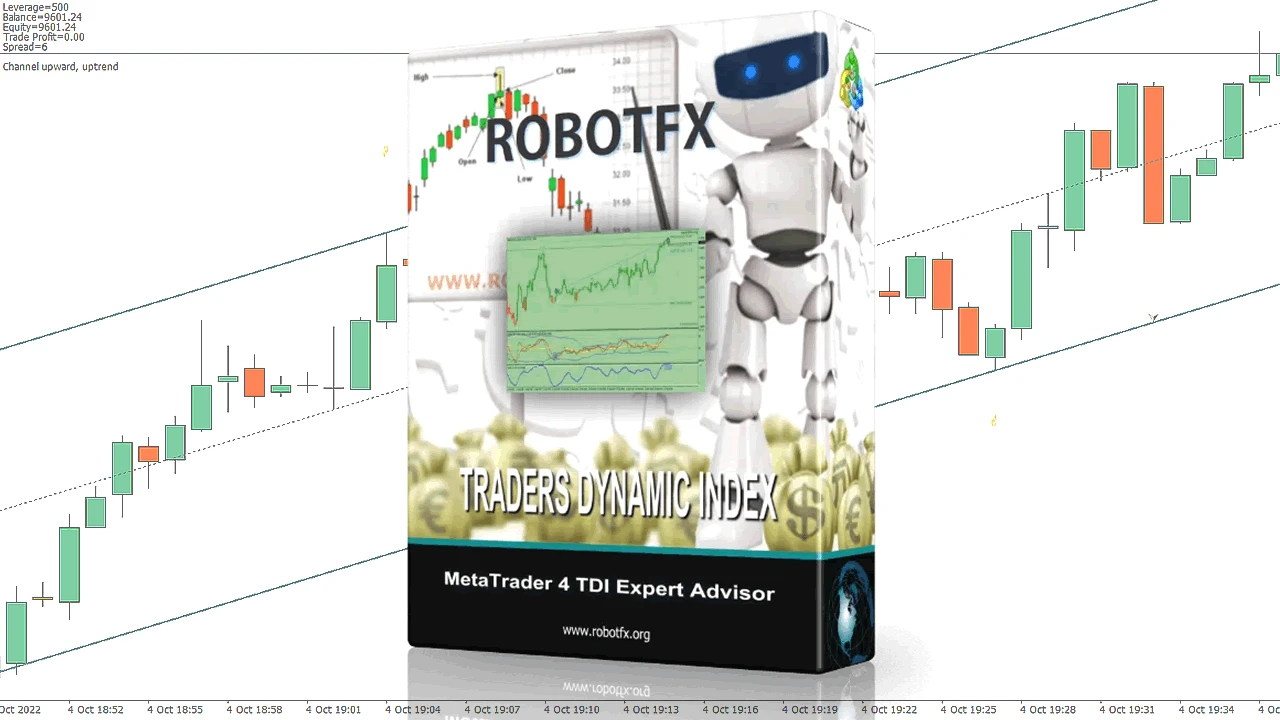
Key Features of the Traders Dynamic Index EA for MT4
- Accurately identifies market trend using the Traders Dynamic Index (TDI) indicator
- Generates trade entries and exits based on TDI signals or Moving Averages
- Offers flexible trade management including lot size control, trailing stop, breakeven, and session filters
- Supports multiple confirmation filters such as Stochastic and swing zones for higher accuracy
The RobotFX Traders Dynamic Index Expert Advisor is built specifically for traders who love the TDI indicator. The Traders Dynamic Index combines RSI, Moving Averages, and volatility bands into one powerful tool that shows trend direction, momentum, and market volatility at a glance. This TDI EA for MT4 automates the entire process, allowing you to trade the trend with confidence while removing emotional decision-making. It can also be combined with other trend-based systems such as the Heiken Ashi Expert Advisor MT4 & MT5 or basket management tools like the Trailing Stop Expert Advisor MT4 & MT5 for improved trade control.
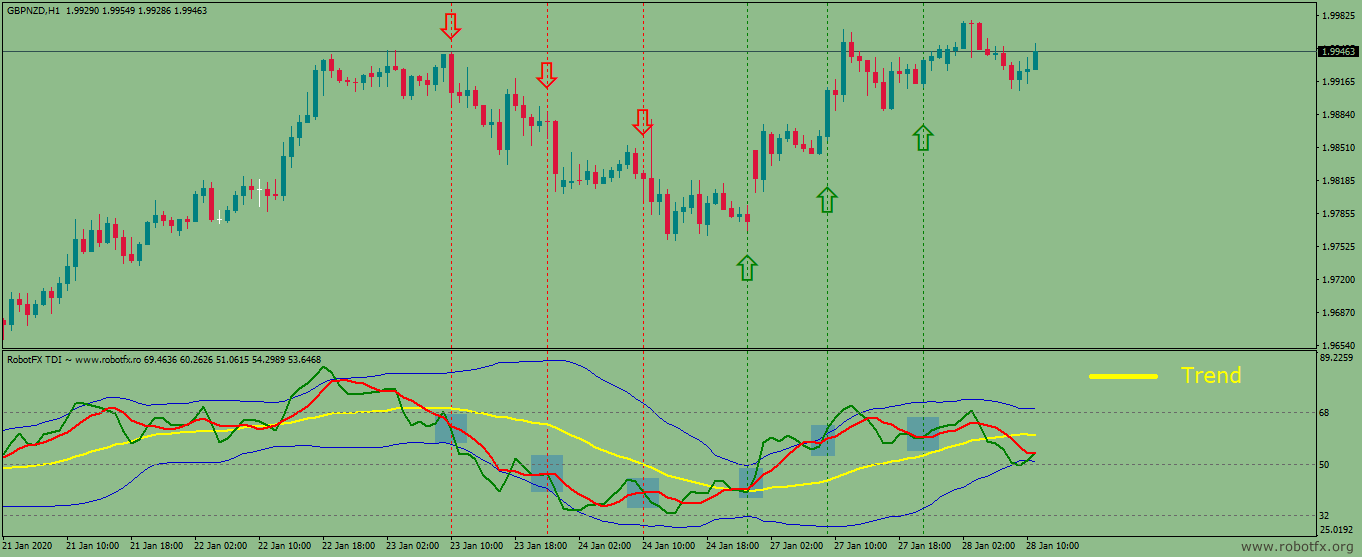
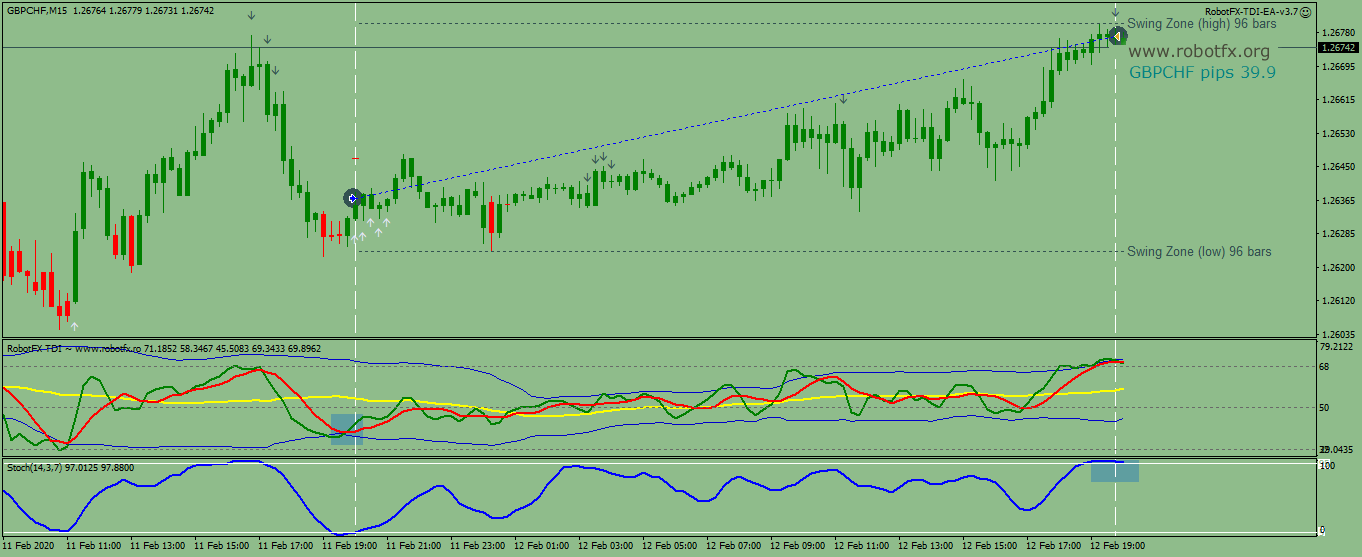
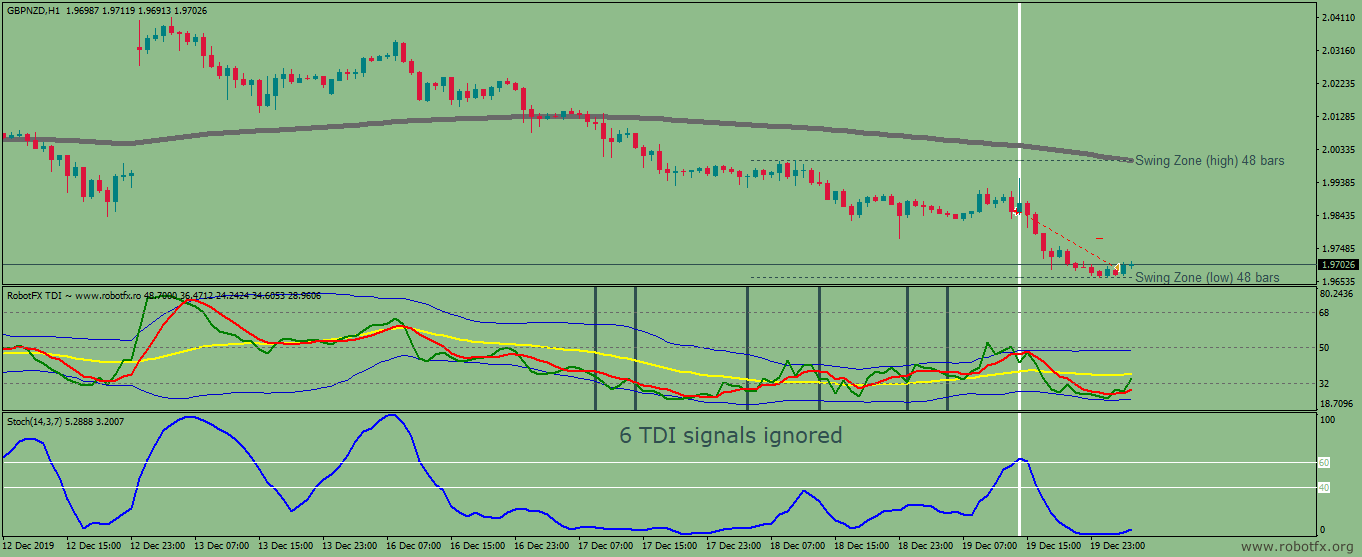
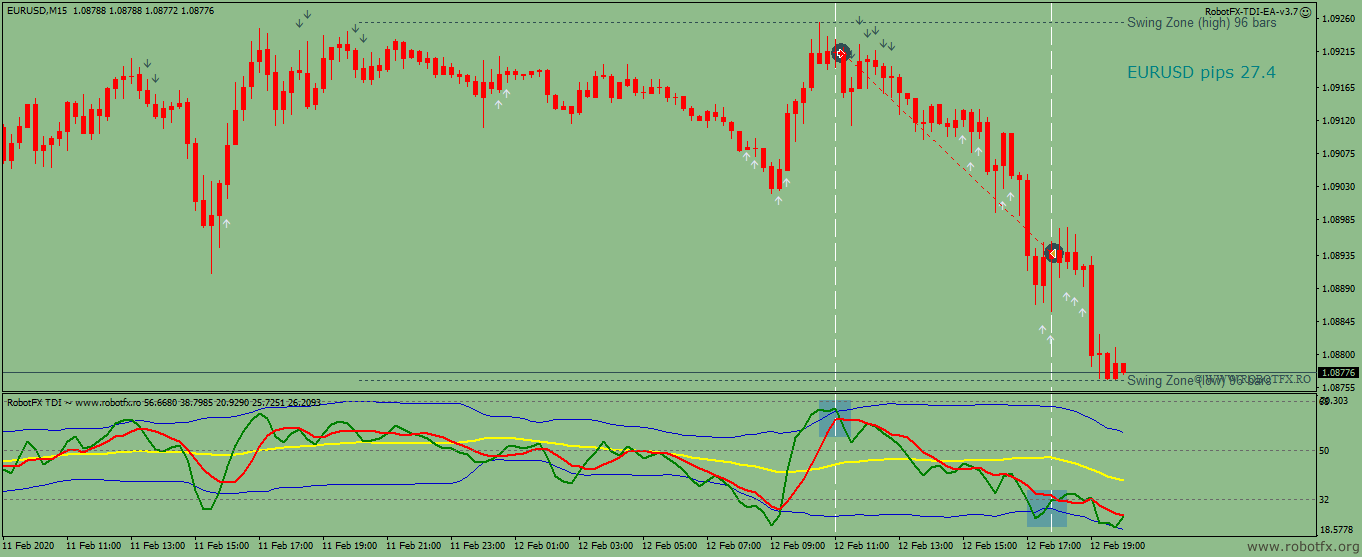
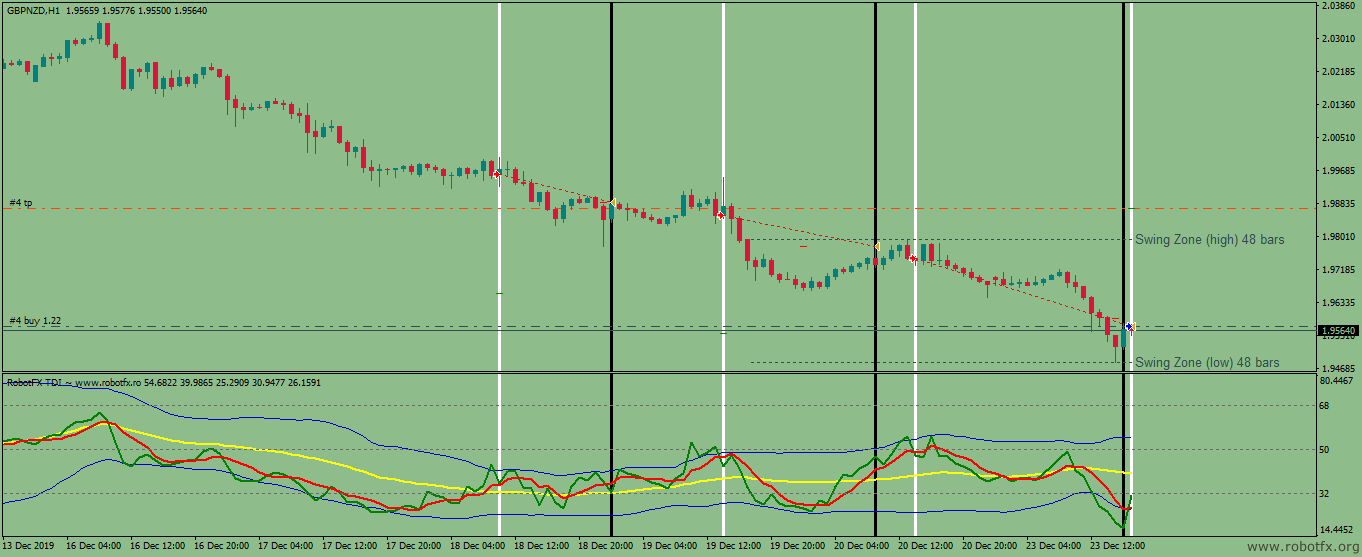
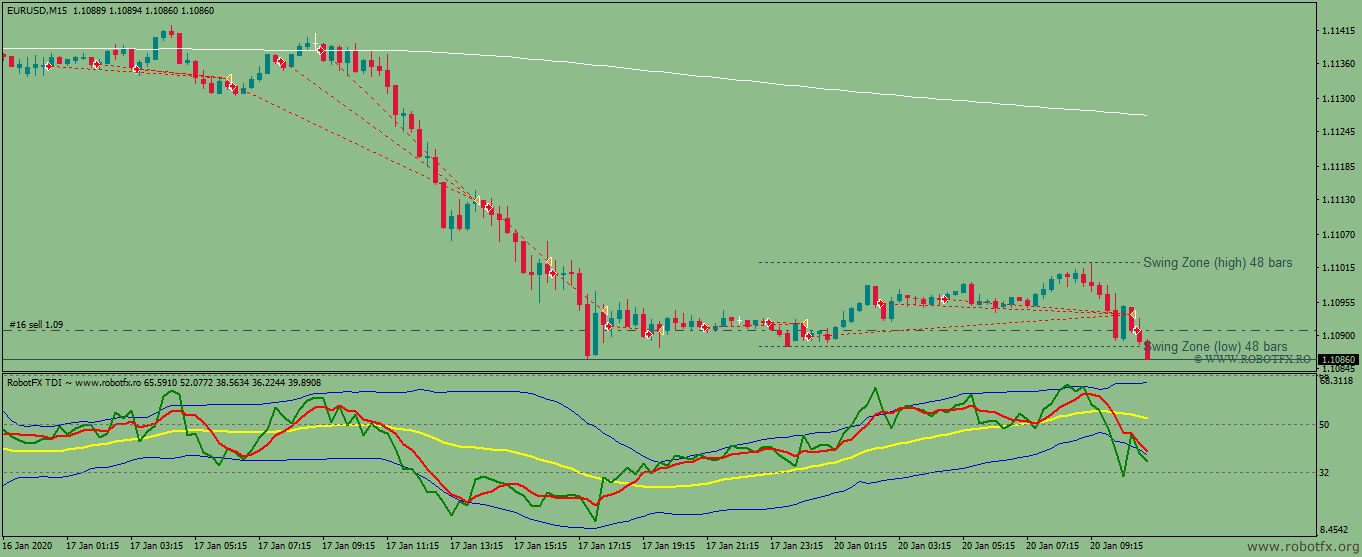
TDI EA Trading Examples
Configuring Traders Dynamic Index EA Settings
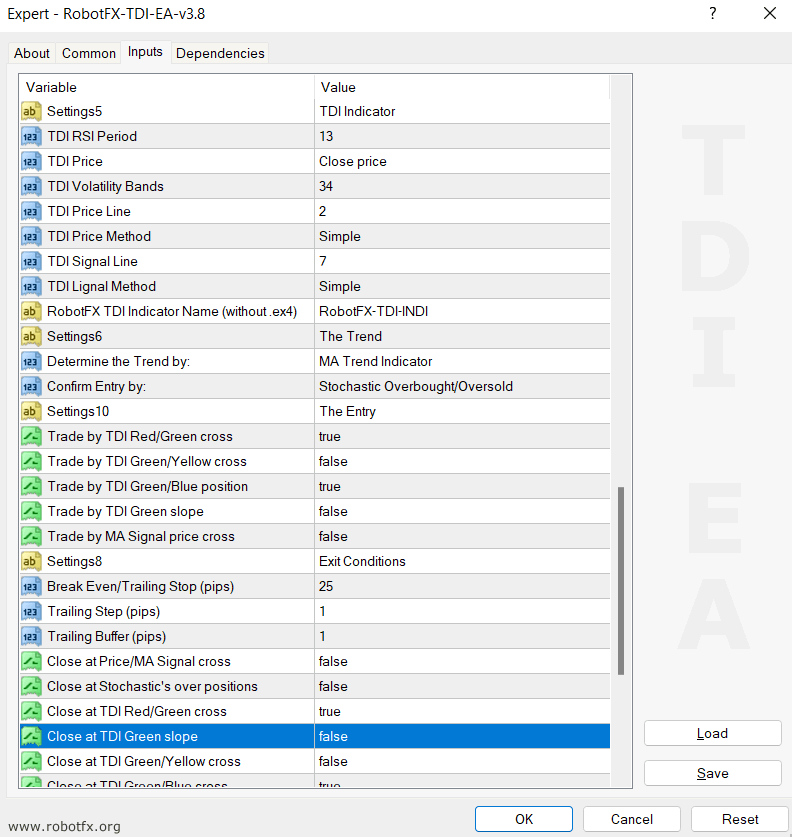
Since the TDI expert advisor uses the TDI indicator, all the indicator's settings can be found in the EA's settings. This allows full customization of signal sensitivity and trend filtering, and it can also be aligned with broader confirmation tools such as the Support & Resistance Indicator MT4 or the Stochastic Divergence Indicator MT4 for more refined entry timing.
- Enter your Client Email - fill this with your email IF you are using a paid version of this EA on a LIVE account
- Sunday to Friday - Indicate whether or not you want to trade each specific day.
- NFP Friday - Whether or not you want to trade on volatile Non-Farm payroll Friday, first Friday of the month.
- Thursday Before NFP - Whether or not you want to trade on the Thursday before the volatile Non-Farm Payroll Friday.
- Christmas Holidays - Whether or not you want to trade during a custom defined period in December, during the low liquidity of the Christmas Holidays.
- Christmas Holidays Start (20th Dec) - This is the day in December you will start to filter out, as the beginning of the Christmas Holiday. Default is 20th, you can enter any date instead of 20.
- New Years Holidays - Whether or not you want to trade during a custom defined period in the beginning of January, the low liquidity of the New Years Holidays.
- New Years Holidays End (5th Jan) - This is the day in January you stop the filter, the end of the New Years holiday period. Default is 5th January, you can enter any date instead of 5.
- Auto GMT Offset - Indicate if you want auto GMT offset turned on or off. Turn off during back testing.
- Manual GMT Offset - If AutoGMTOffset is turned off, indicate what your manual GMT offset would be.
- Enable Trading Session - Set to false to ignore the below trading sessions, or to true to trade within the sessions.
- Trade Tokio Session - Whether or not to trade Asian session.
- Start Tokio Session - Do not trade before this time. If you include Australia, Sydney starts at 21.00, and Tokyo starts at 23.00 GMT.
- Finish Tokio Session - Do not trade after this time. Defaulted at 07.00, the start of the European Session.
- Trade London Session - Whether or not to trade European session
- Start London Session - Do not trade before this time. Defaulted at 7.00 GMT, the start of the London Session.
- Finish London Session - Do not trade after this time. The European Session continues till 16.00 GMT.
- Trade New York Session - Whether or not to trade the New York session.
- Start New York Session - Liquidity increases significantly during the New York session open.
- Finish New York Session - Do not Trade after this time.
- Buy Trades - Enable/disable long trades
- Sell Trades - Enable/disable short trades
- Lotsize - set the lotsize, as fix amount or equity percent
- Enable Money Management - dynamically adjusts lot size based on equity and risk exposure
- Stop Loss - set the stoploss in pips
- Take Profit - set the take profit in pips
- Slippage - execution slippage in pips
- Minimum Profit - used across multiple systems such as Trailing Stop Expert Advisor MT4 & MT5 to control basket exits and signal-based closures
- Settings for the moving average indicator (MA Trend) used for trend filtering and confirmation
- Settings for MA-based entry signals used in combination with TDI logic for stronger confluence
- Settings for stochastic confirmation used to filter overbought/oversold conditions
- Core Traders Dynamic Index engine used for trend, entry, and exit logic
- RobotFX TDI Indicator Name (without .ex4) - required dependency for correct EA operation
- MA Trend Indicator - trend above/below moving average
- TDI Green/Yellow position - momentum-based directional confirmation
- TDI Yellow slope - slope-based trend detection
- No Trend - disables trend filtering
- Stochastic Overbought/Oversold - classic momentum filter
- Swing Zone Price Position - avoids entries near recent extremes using price structure logic
- No confirmation - pure signal-based execution
- Break Even / Trailing Stop logic for automated risk reduction
- Close at opposite or same signal for adaptive exit behavior
- Basket management when Minimum Profit is reached
- Martingale options for controlled recovery logic (use carefully)
- Magic Number allows integration with other systems like MultiTrader Expert Advisor MT4 for portfolio-level management
RobotFX Traders Dynamic Index EA Video Tutorial
In this video, you will learn how to trade effectively using the Traders Dynamic Index indicator and the TDI Expert Advisor MT4. It covers trend identification, the best TDI signals (green/red cross, green line slope, volatility band crosses), confirmation filters, optimal settings, and real trading examples with different strategies. You will have to watch the rest of the videos too if you want to master this trading tool.